
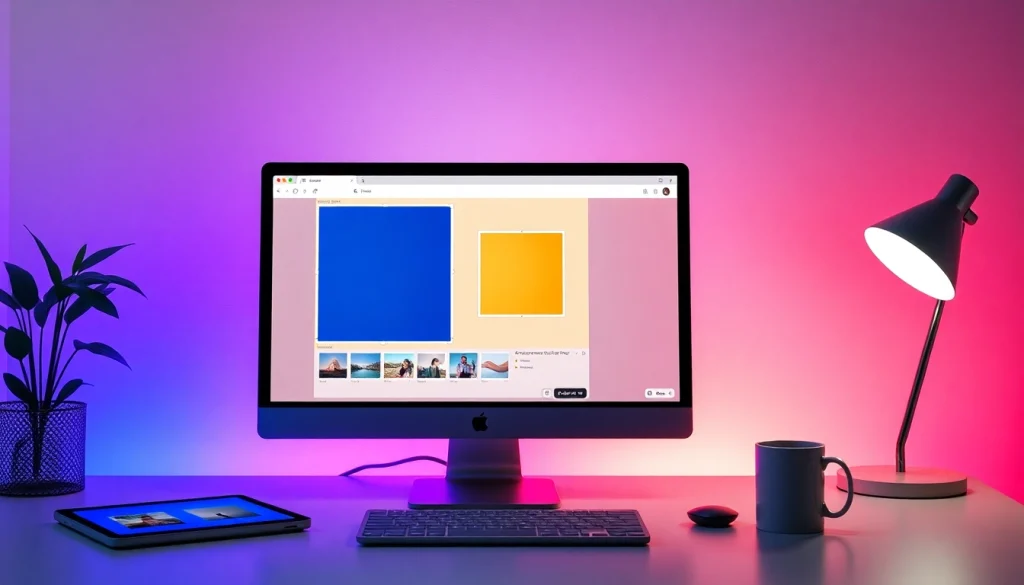
Understanding Square Images
In the world of digital media, square images have emerged as a popular format due to their versatility and visual appeal. Whether you’re looking to enhance your social media presence or create striking content for your website, understanding how to work with square images is essential. This guide will delve into the nuances of creating and utilizing square images effectively, ensuring you can transform your photos into eye-catching visuals with ease. When exploring options, image square tools provide comprehensive insights into this process.
What is an Image Square?
A square image is defined by its equal length and width, creating a perfect 1:1 aspect ratio. This balanced format is visually engaging, often making it easier to center subjects and focus attention. As a result, square images are widely used across various platforms, particularly on social media, where they provide a consistent and harmonious appearance in feeds.
Benefits of Square Formatting
- Uniformity: Square images present a uniform look that works well on platforms like Instagram and Facebook, where users often scroll through a mix of portrait and landscape photos.
- Versatile Usage: These images are easily adaptable for different applications, from profile pictures to promotional graphics.
- Enhanced Focus: A square format allows for better focus on the central subject, minimizing distractions from the surrounding elements.
Common Misconceptions About Square Images
Despite their popularity, many still hold misconceptions about square images. Some believe that square crops diminish creativity or limit potential image compositions. On the contrary, with the right techniques, square images can actually enhance creativity by allowing for innovative framing and compositional strategies.
How to Make Your Image Square
Creating square images doesn’t need to be complicated. With the right tools and a clear process, anyone can transform their photographs into perfect squares. Here’s how to do it effectively.
Step-by-Step Square Image Creation Process
- Upload Your Image: Start by choosing the photo you want to convert. Most online tools support various formats, including JPG, PNG, and WebP.
- Adjust and Reposition: Use drag-and-drop features to reposition your image. Zoom in or out as needed to frame your subject perfectly.
- Select the Crop Option: Choose between a simple square crop or a square format with enhanced backgrounds, like blur or solid colors. Preview your changes instantly.
- Download Your Finished Image: Save the final product in your desired format, such as JPEG, PNG, or PDF.
Tools and Software for Image Square Transformations
There are numerous online platforms and applications that make transforming images into square formats seamless. Some recommended tools include:
- Square Image: A user-friendly online tool that allows you to crop and modify images directly in your browser.
- Photoshop: For advanced users, Photoshop provides in-depth features for precise cropping and editing.
- Canva: A popular graphic design tool that offers templates and easy square cropping options.
Best Practices for Preparing Your Image
To achieve the best results when creating square images, consider the following best practices:
- Choose High-Quality Photos: Start with high-resolution images to ensure clarity in the final product.
- Focus on Composition: Think critically about how your subjects are framed within the square. Avoid placing key elements too close to the edges.
- Utilize Backgrounds: If cropping significantly alters your photo, consider adding a blur or solid color background to maintain visual appeal.
Creative Uses for Square Images
Square images have a multitude of applications that extend beyond simple social media posts. Here are some creative ways you can utilize this format:
Square Images for Social Media Success
Platforms like Instagram prioritize square images, making them ideal for posting. Using this format can help create a cohesive look to your profile, encouraging more engagement from followers.
Enhancing Online Profiles with Perfect Squares
Whether it’s on professional networks like LinkedIn or personal sites, square images can enhance your online presence by making profile pictures and cover images visually appealing and consistent.
Unique Applications in Blogging and E-commerce
Bloggers and e-commerce businesses benefit from using square images for product showcases and article thumbnails. They create a professional look while ensuring that images display correctly across devices.
Common Challenges and Solutions
While transforming images into square formats is generally easy, there can be challenges that arise. Here’s how to overcome them.
Dealing with Image Quality During Transformation
One frequent concern is maintaining image quality. To avoid pixelation, always use high-resolution source images and choose cropping tools that support quality retention.
Overcoming Limits of Free Tools
Free online tools can have limitations, such as watermarks or low-resolution outputs. Investing in premium services or software might be worthwhile for users needing higher quality and more features.
Efficiently Managing File Formats and Sizes
Different platforms have varying image size requirements. Familiarize yourself with these guidelines to ensure your square images display correctly without distortion or compatibility issues.
Future Trends in Image Square Technology
As technology evolves, so does the potential for image processing. Here’s a look at anticipated advancements in 2026.
2026 Innovations in Image Processing
Expect to see improved algorithms that utilize AI for more accurate cropping and enhancement, allowing users to create jaw-dropping square images with minimal effort.
The Rise of AI in Image Cropping Tools
AI-driven tools will likely become the standard, making it easier to crop images intelligently without the need for manual adjustments, thus saving users time and effort.
Anticipated Changes in User Preferences
Users may gravitate towards tools that offer augmented reality features, allowing them to visualize how their images will appear in different settings before opting for a final design.